Enable Tiered Storage for Exisiting Clusters
This guide is for users who have already deployed a BYOC/BYOC-I cluster using a previous version of the terraform examples and now want to enable tiered storage.
Prerequisites
- Terraform provider
zillizcloudversion>= 0.6.34.
Step 1: Upgrade the Provider
Update the version constraint in your versions.tf or required_providers block. Note that Terraform's ~> constraint does not match pre-release versions, so pin explicitly if you are testing an -rc build:
zillizcloud = {
  source  = "zilliztech/zillizcloud"
  version = ">= 0.6.34"
}
Step 2: Update data.tf
In your locals {} block, replace the existing k8s_node_groups assignment:
# Remove this line:
k8s_node_groups = data.zillizcloud_byoc_i_project_settings.this.node_quotas
With the following merge logic:
  # Tiered node quota from API (separate provider field, null when not enabled)
  tiered_node_quota = (
    data.zillizcloud_byoc_i_project_settings.this.tiered_node_quota != null
    ? { tiered = data.zillizcloud_byoc_i_project_settings.this.tiered_node_quota }
    : {}
  )

  k8s_node_groups = {
    for name, ng in merge(
      # Tiered placeholder (max_size=0 → count=0, not created unless API enables it)
      { tiered = { disk_size = 100, min_size = 0, max_size = 0, desired_size = 0, instance_types = "i4i.2xlarge", capacity_type = "ON_DEMAND" } },
      # API returns: core, index, search, fundamental
      data.zillizcloud_byoc_i_project_settings.this.node_quotas,
      # API tiered quota overwrites placeholder when present
      local.tiered_node_quota,
    ) : name => merge(ng, {
      ami_id    = lookup(var.k8s_node_group_image_id, name, null)
      disk_size = max(ng.disk_size, 100)
    })
  }

  # Placeholder has max_size=0, so this is false unless API returns tiered with max_size>0
  enable_tiered = local.k8s_node_groups["tiered"].max_size > 0
Step 3: Update EKS Module
Copy the latest modules/aws_byoc_i/eks/ directory from the master branch of terraform-zilliz-examples to replace your local copy. This adds the tiered node group resource, enable_tiered variable, and updated validation rules.
Step 4: Pass enable_tiered to the EKS Module
In your root main.tf, add the argument to the module "eks" block:
module "eks" {
  # ... existing arguments ...
  enable_tiered = local.enable_tiered
}
Step 5: Enable Tiered Storage in Zilliz Cloud Console
-
Log in to the Zilliz Cloud console.
-
In the top-right corner, select the correct BYOC organization.

-
Navigate to Projects and locate the project you want to enable tiered storage for.
-
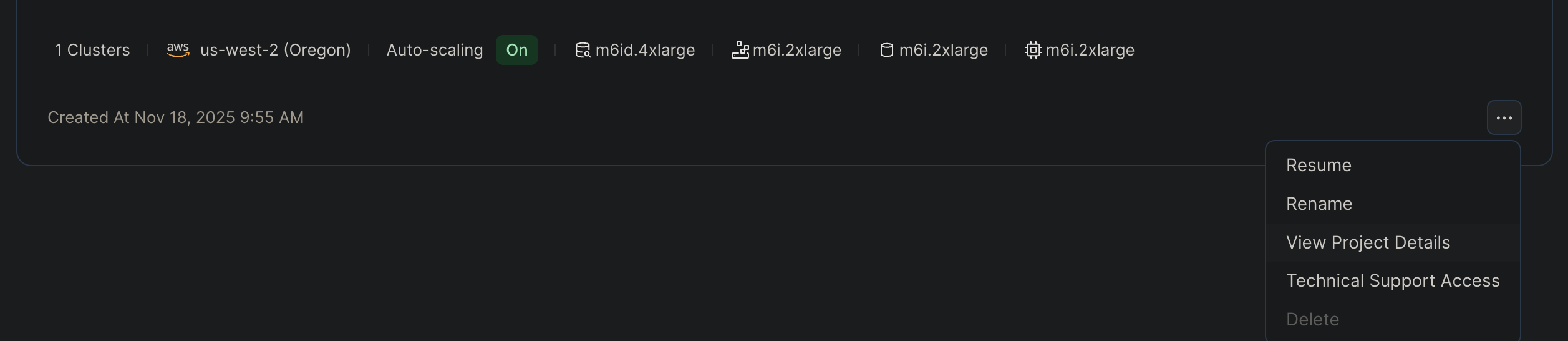
Click the "..." button in the bottom-right corner of the project card, then click View Project Details.
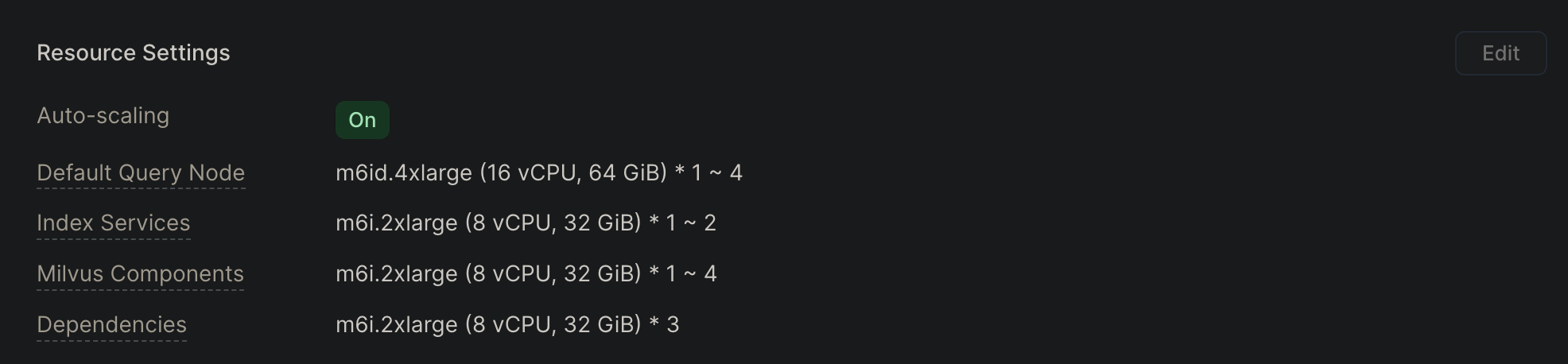
- In the Resource Settings section, click Edit.
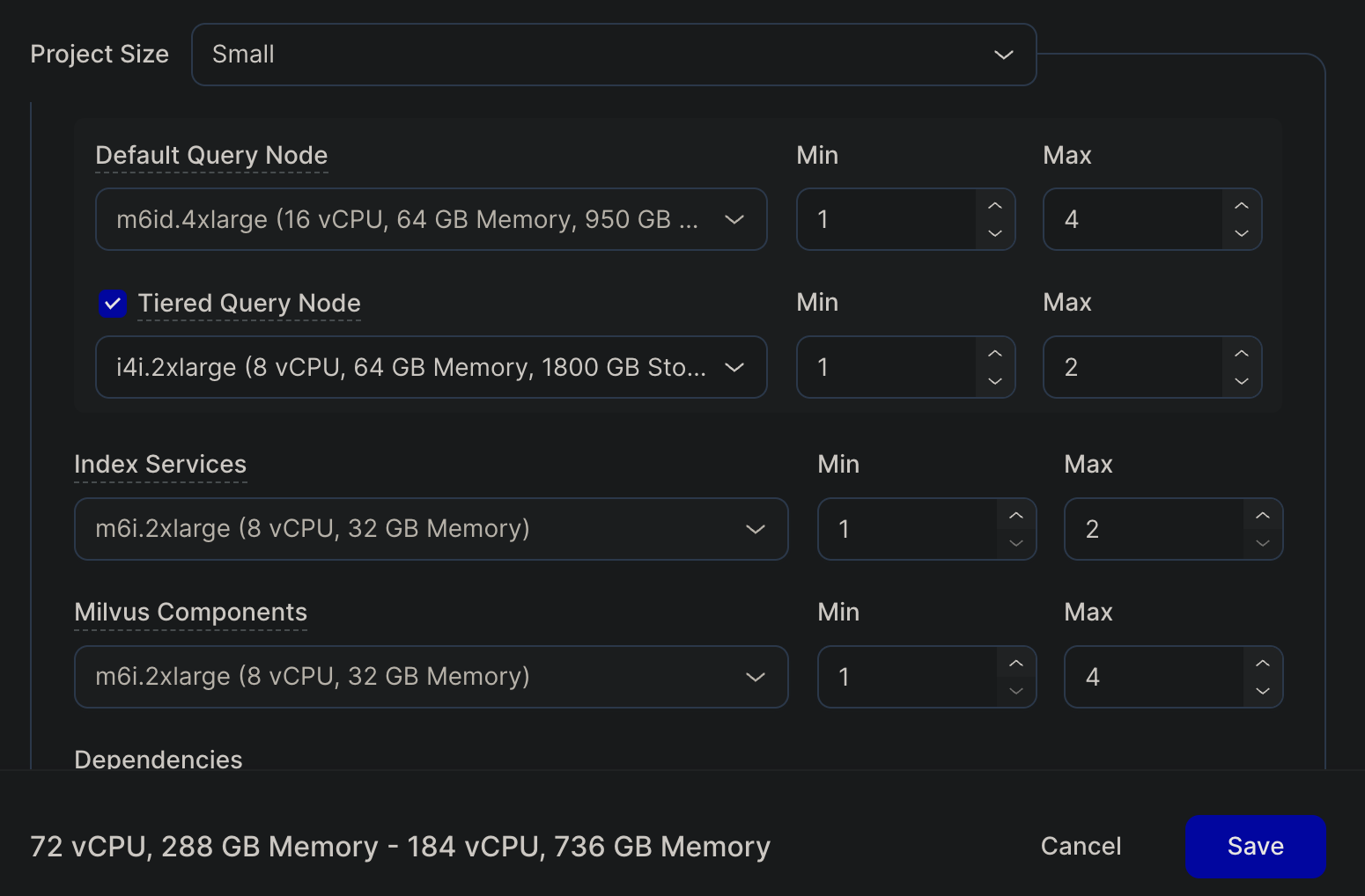
- In the dialog, check Tiered and click Save in the bottom-right corner.
After saving, the API will return a tiered_node_quota for this project.
Step 6: Verify
terraform init -upgrade
terraform plan
Expected plan output:
| Scenario | Expected Result |
|---|---|
| Tiered storage not enabled | No new resources (enable_tiered = false, count = 0) |
| Tiered storage enabled | aws_eks_node_group.tiered[0] will be created (1 to add) |
Existing resources should show no destroy or recreate actions.