License Usage
Zilliz Cloud offers a license for your Bring Your Own Cloud (BYOC) organization. While the license is active, Zilliz Cloud charges based on the number of vCPUs used in the organization and deducts that amount from the licensed capacity.
Usage dashboard
Zilliz Cloud offers a Usage dashboard to provide detailed information on your license usage.
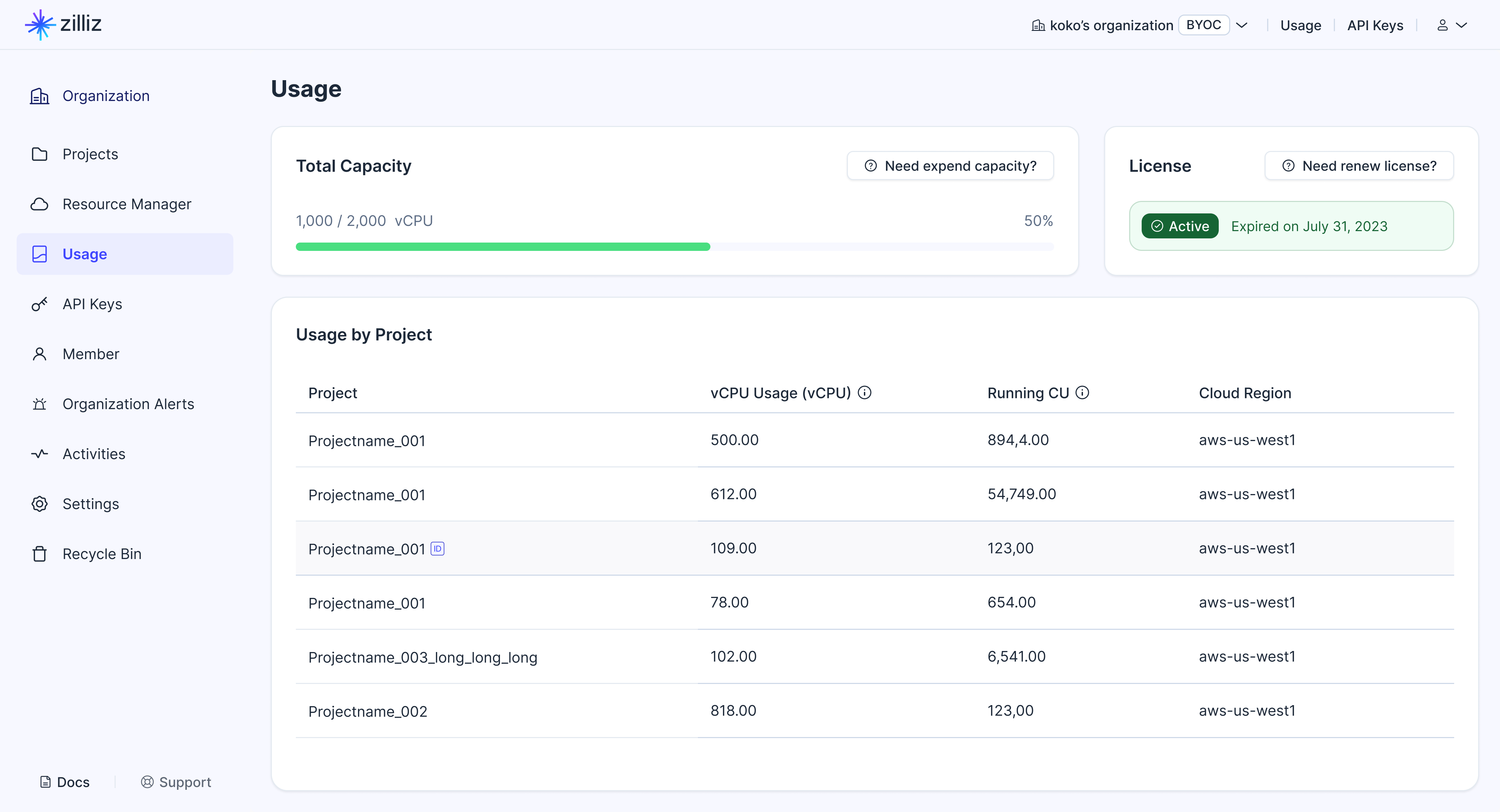
On the dashboard, you can find:
Total capacity
The total capacity is the maximum number of vCPUs you can use in the project while your license is active.
Zilliz Cloud offers several resource groups across projects in your organization: Query Nodes, Milvus Components, Index Nodes, and Dependencies.
To determine current usage, Zilliz Cloud sums the number of vCPUs allocated only to Query Nodes, Milvus Components, and Index Nodes in each project. The number of vCPUs allocated to Dependencies is not included in the current usage.
Zilliz Cloud then deducts the summed amount from the Total Capacity to determine whether current usage exceeds the licensed capacity.
-
When current usage is below Total Capacity, the progress bar remains green.
-
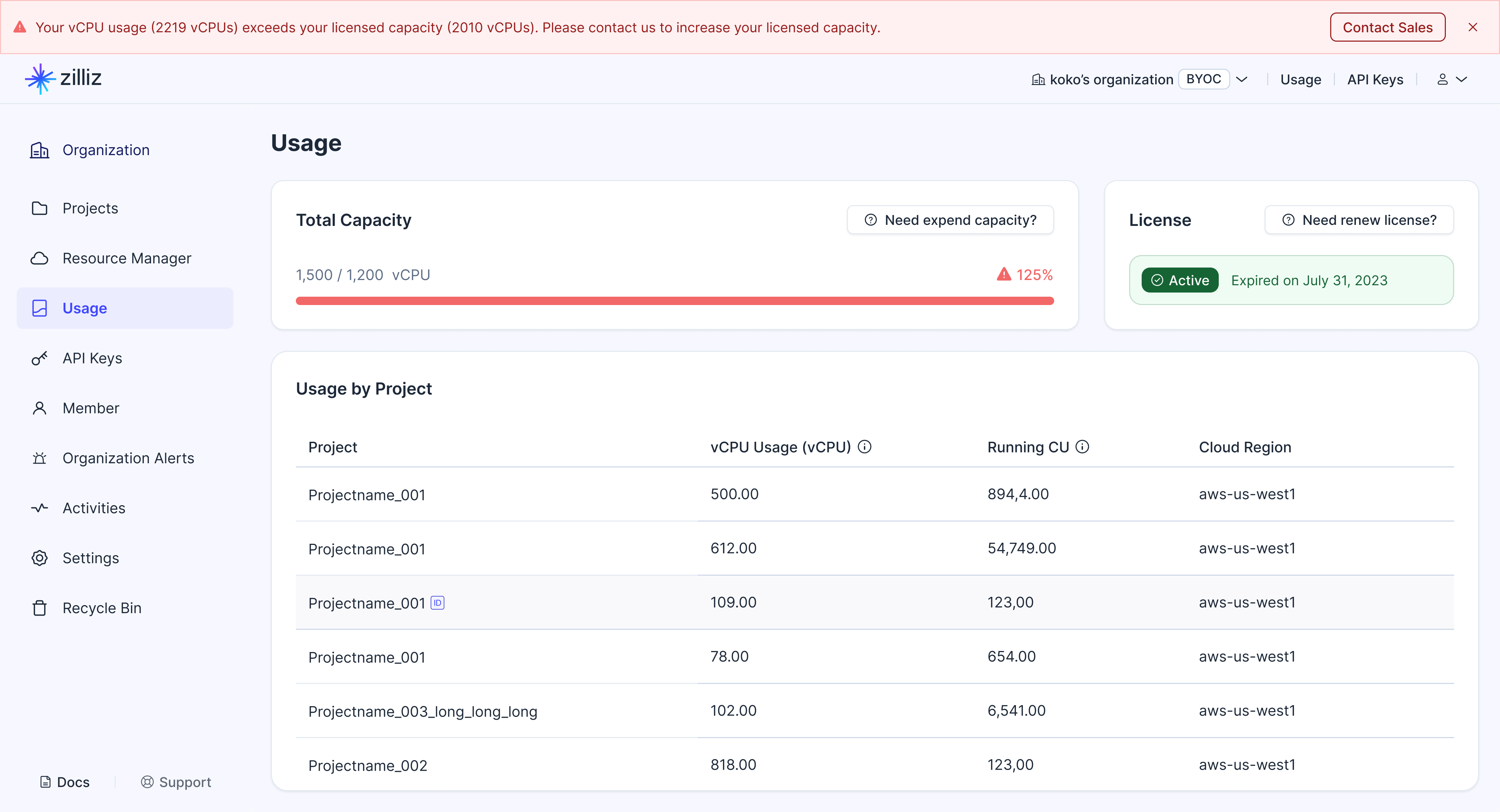
When current usage exceeds Total Capacity, the progress bar turns red, and an alert appears at the top of the Usage dashboard. You will also receive an email stating that your licensed capacity has been exceeded. In that case, contact us to increase your licensed capacity.
License status
Your license is only valid for a specific period. On the Usage dashboard, your license may be in the following states:

-
Active
This status badge indicates the valid license's normal state, and the expiration date is shown to the right of the status badge.
-
Expiring soon
When the license is about to expire within 30 days, you will see this status badge. An alert also appears at the top of the Usage dashboard, and you will receive notification emails on the 30th and 7th days before license expiration. In that case, contact us to renew your license.
-
Expired
From the expiration date on, you will see this status badge. An alert also appears at the top of the Usage dashboard, and you will receive daily notification emails. In that case, you should contact us as soon as possible to renew your license.
Usage by projects
On the Usage dashboard, you will also see the usage breakdown across the projects in your organization.
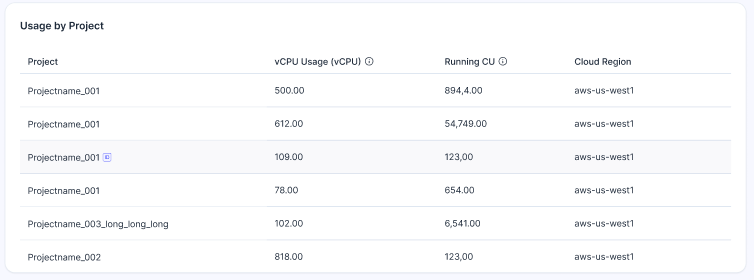
In the breakdown, you will see vCPU usage and Running CU for each project.
-
vCPU Usage (vCPU)
Indicates the total number of vCPUs used by Query Nodes, Milvus Components, and Index Nodes used to support the clusters in each project. Dependencies are excluded and provided for free by Zilliz Cloud.
-
Running CU
Indicates the total number of CUs used by the clusters in each project in real time.