Zilliz Claude Code Plugin Setup
This guide explains how to install and set up the Zilliz Plugin in Claude Code.
Prerequisites
- You have already installed Claude Code.
Setup Procedure
Run Claude Code
> claude
Open the plugin marketplace
/plugin
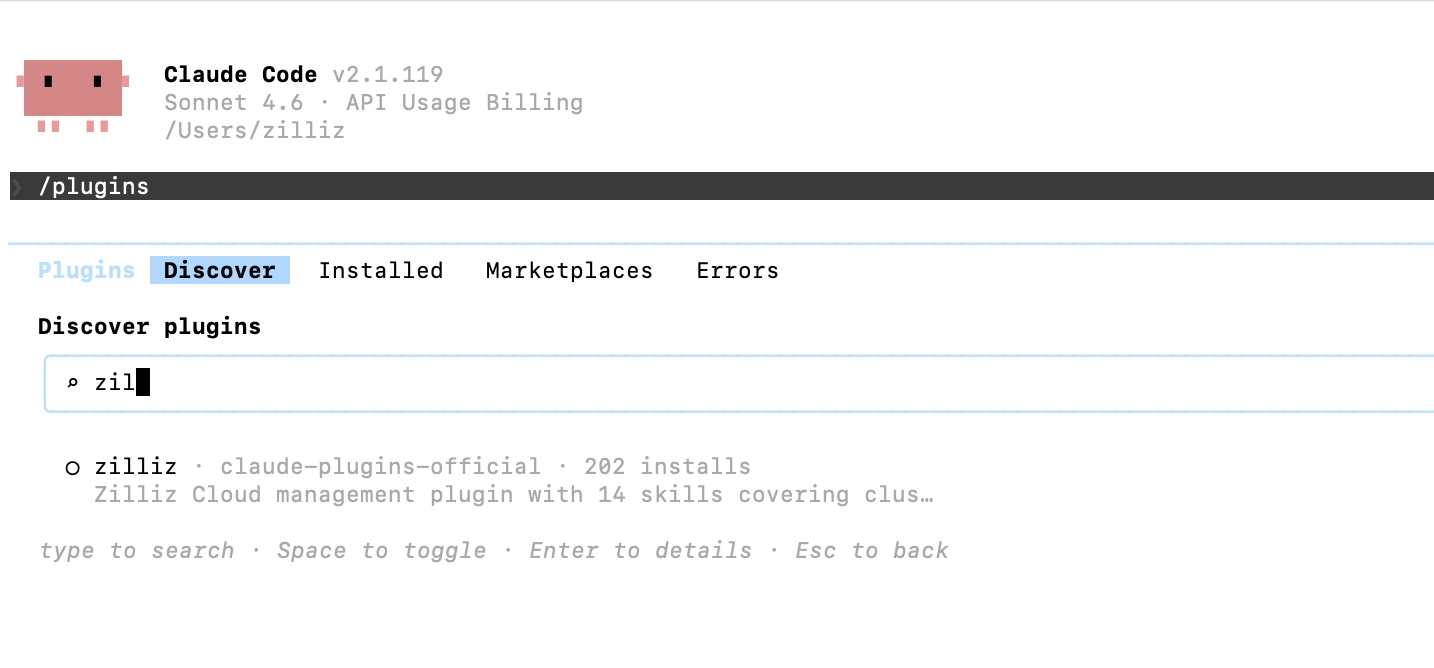
Find and install the Zilliz Plugin
Go to the Discover tab and search for zilliz. Select the zilliz plugin to install it.
If your environment does not support marketplace discovery, you may still be able to install the plugin by adding the Zilliz plugin marketplace manually.
Install by adding Zilliz Cloud plugin marketplace
-
Run Claude Code
bash> claude -
Add the Zilliz Plugin marketplace.
bash/plugin marketplace add zilliztech/zilliz-plugin -
Install the plugin
bash/plugin install zilliz@zilliztech/zilliz-plugin
Initial Setup
After installation, run the quickstart wizard:
/zilliz:setup
The wizard will guide you through:
Install Zilliz CLI.
The plugin requires the Zilliz CLI. If not installed, run:
- macOS / Linux
- Windows
curl -fsSL https://zilliz.com/cli/install.sh | bash
irm https://zilliz.com/cli/install.ps1 | iex
Verify installation:
zilliz --version
Authenticate.
Authenticate with your Zilliz Cloud account:
zilliz auth login
This opens a browser for authentication. After login, your credentials are stored locally.
Connect to your cluster.
Configure your default cluster connection:
zilliz context set --cluster-id <your-cluster-id>
Or let the plugin help you select from available clusters.
Verification
Test the plugin with a simple command:
You: "List my clusters"
The plugin should display your Zilliz Cloud clusters.
Troubleshooting
-
Plugin shows "CLI not found"
Solution: Install the Zilliz CLI:
- macOS / Linux
- Windows
bashcurl -fsSL https://zilliz.com/cli/install.sh | bashbashirm https://zilliz.com/cli/install.ps1 | iex -
Authentication fails
Solution:
-
Check your internet connection
-
Verify your Zilliz Cloud account is active
-
Try logging out and back in:
bashzilliz logoutzilliz login -
-
"No cluster configured"
Solution: Set a default cluster:
bashzilliz context set --cluster-id <cluster-id>