Canary Upgrade Approach for Scaling
Zilliz Cloud uses a canary upgrade approach for scaling operations. The platform validates the target configuration on a limited scope first, then progressively rolls it out after health checks pass.
When you increase or decrease Query CU, change replicas, Zilliz Cloud places the cluster in the Modifying state while the new configuration is prepared and validated. The goal is to reduce service impact by detecting problems early and limiting the scope affected by each rollout step.
Why canary upgrade matters
Canary upgrade is designed for scaling changes where the platform needs to validate that the target resources are healthy before applying the change broadly.
-
Increasing or decreasing Query CU
-
Increasing or decreasing replicas
-
Adjusting serving resources through manual, scheduled, or dynamic scaling
| Benefit | Description |
|---|---|
| Small initial blast radius | The new configuration is introduced to a limited scope first, so potential issues can be detected before the change is expanded. |
| Health-gated rollout | Zilliz Cloud checks readiness and serving health before moving to the next rollout step. |
| Progressive traffic migration | Traffic is shifted gradually after the canary stage is healthy, reducing the chance of a sudden capacity or latency shock. |
| Rollback path | If the canary does not pass validation, Zilliz Cloud can stop the rollout and keep using the previous available configuration. |
How it works
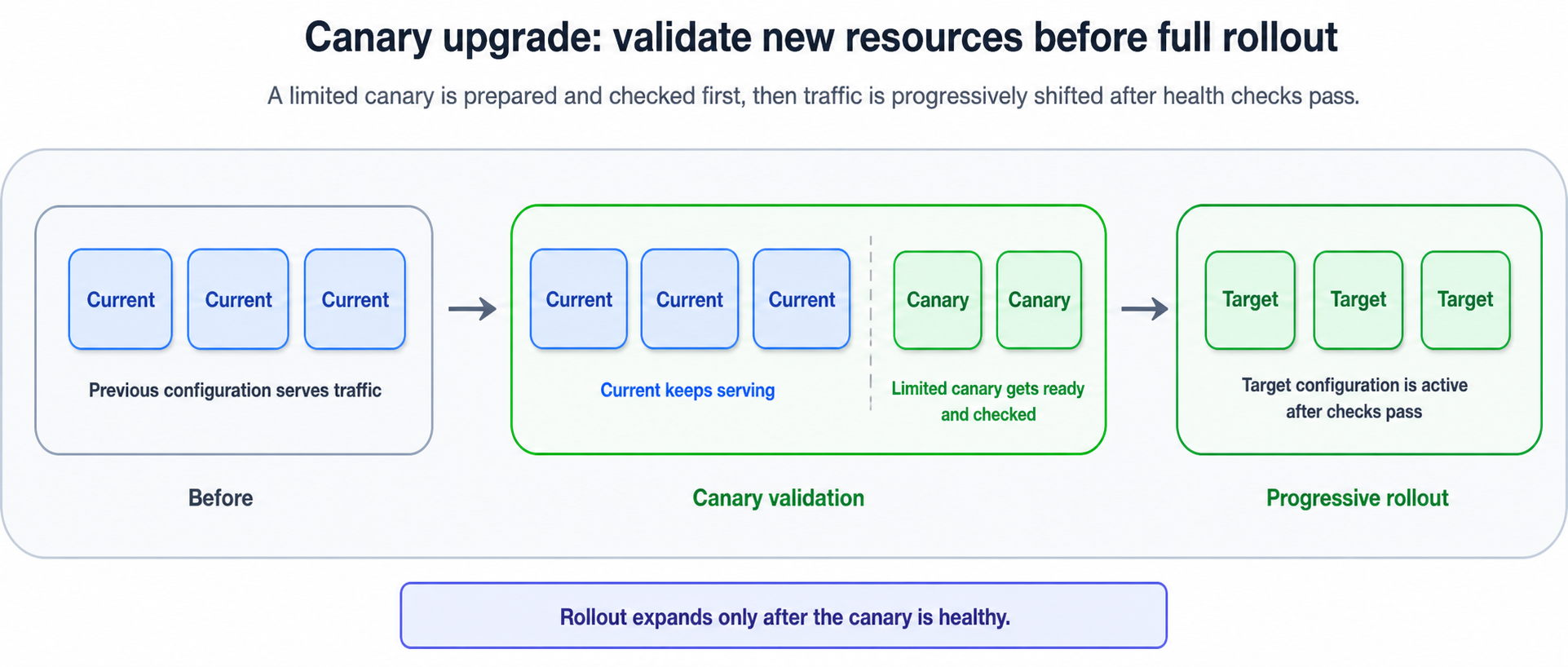
A scaling operation that uses canary upgrade generally follows this sequence.
| Stage | What happens |
|---|---|
| Previous configuration | The previous available configuration continues serving while the scaling job starts. |
| Target preparation | Zilliz Cloud prepares the target Query CU or replica configuration. |
| Limited canary | The platform validates the new resources on a limited scope first. |
| Health gate | If checks fail, the rollout stops and the cluster keeps using the previous available configuration. |
| Progressive rollout | If checks pass, Zilliz Cloud expands the rollout in controlled steps until the scaling job completes. |
-
Keep the previous configuration available The cluster continues serving with the previous available configuration while the scaling job starts. The cluster may enter the
Modifyingstate during this period. -
Prepare the target configuration Zilliz Cloud provisions and prepares the resources required by the target Query CU or replica configuration.
-
Run a limited canary The platform validates the new resources on a limited scope first. The canary stage checks whether the new resources can load required data, restore serving state, and pass readiness and health checks.
-
Observe canary health Zilliz Cloud monitors the canary for readiness, serving health, and transition behavior. If the canary does not meet the expected health criteria, the rollout does not proceed.
-
Progressively roll out the change After the canary is healthy, Zilliz Cloud expands the rollout and shifts serving traffic toward the target configuration in controlled steps.
-
Complete the scaling job When the target configuration is fully active and healthy, the scaling job completes. Resources that are no longer needed are cleaned up after they are no longer in the serving path.
Canary upgrade and cloud-native storage
Cloud-native storage helps make canary-based scaling safer because persistent data is separated from compute resources.
In many traditional stateful systems, adding new nodes requires existing nodes to rebalance local data to the new nodes. During that period, existing nodes must serve online traffic and transfer data at the same time, which can increase CPU, memory, disk I/O, and network pressure.
In Zilliz Cloud, persistent data is stored in object storage. New resources can independently load the required data before they participate in serving traffic. This allows the canary stage to validate new resources without relying on existing serving nodes as the source of local data transfer.
What you may notice during scaling
During a canary upgrade-based scaling operation:
-
The cluster status may change to
Modifying. -
Existing services usually continue running with the previous available configuration while the canary is prepared and validated.
-
Some management operations may be temporarily unavailable.
-
Slight service jitter may occur while traffic is shifted between rollout stages.
-
The new configuration takes effect only after the scaling job completes successfully.
-
If the canary or later rollout stage cannot be completed successfully, the cluster continues using the previous available configuration.
-
During a scaling job, Zilliz Cloud continues to bill the cluster based on the previous configuration. The new Query CU or replica configuration is used for billing only after the scaling job completes successfully.
Canary upgrade reduces service impact during scaling, but it does not mean every operation is guaranteed to be completely jitter-free. For latency-sensitive production workloads, perform major scaling changes during lower-traffic windows when possible.