Manage Cluster Users (Console)
In Zilliz Cloud, you can create cluster users and assign them cluster roles to define the privileges, achieving data security.
Upon the creation of a cluster, a default user named db_admin is automatically generated. This user cannot be dropped. In addition to this default user, you can create more cluster users for fine-grained access control.
To manage cluster users, you must be an Organization Owner or a Project Admin or have a role with Cluster_Admin privileges.
This feature is available only to Dedicated clusters.
Create a cluster user
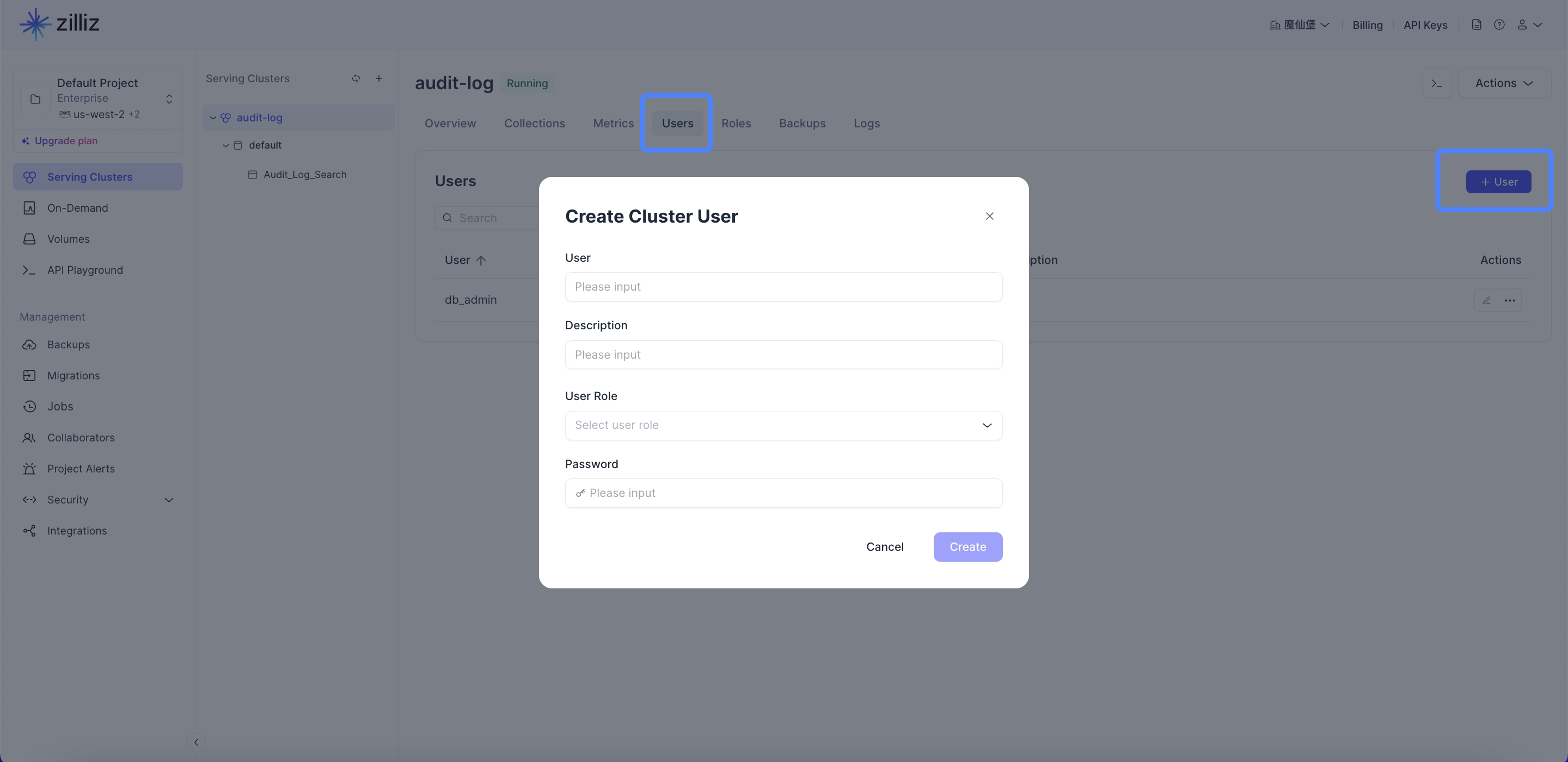
Navigate to your target cluster.
Switch to the Users tab.
Click on + User.
Configure the user settings.
-
Input the name of the user.
-
(Optional) Enter the description of the user.
-
Grant this user either a built-in cluster role or a custom cluster role.
-
Set the password for this cluster user. This password will be used for authentication.
Click on Create.
Each cluster can have up to 500 cluster users.
Edit the role or desrciption of a cluster user
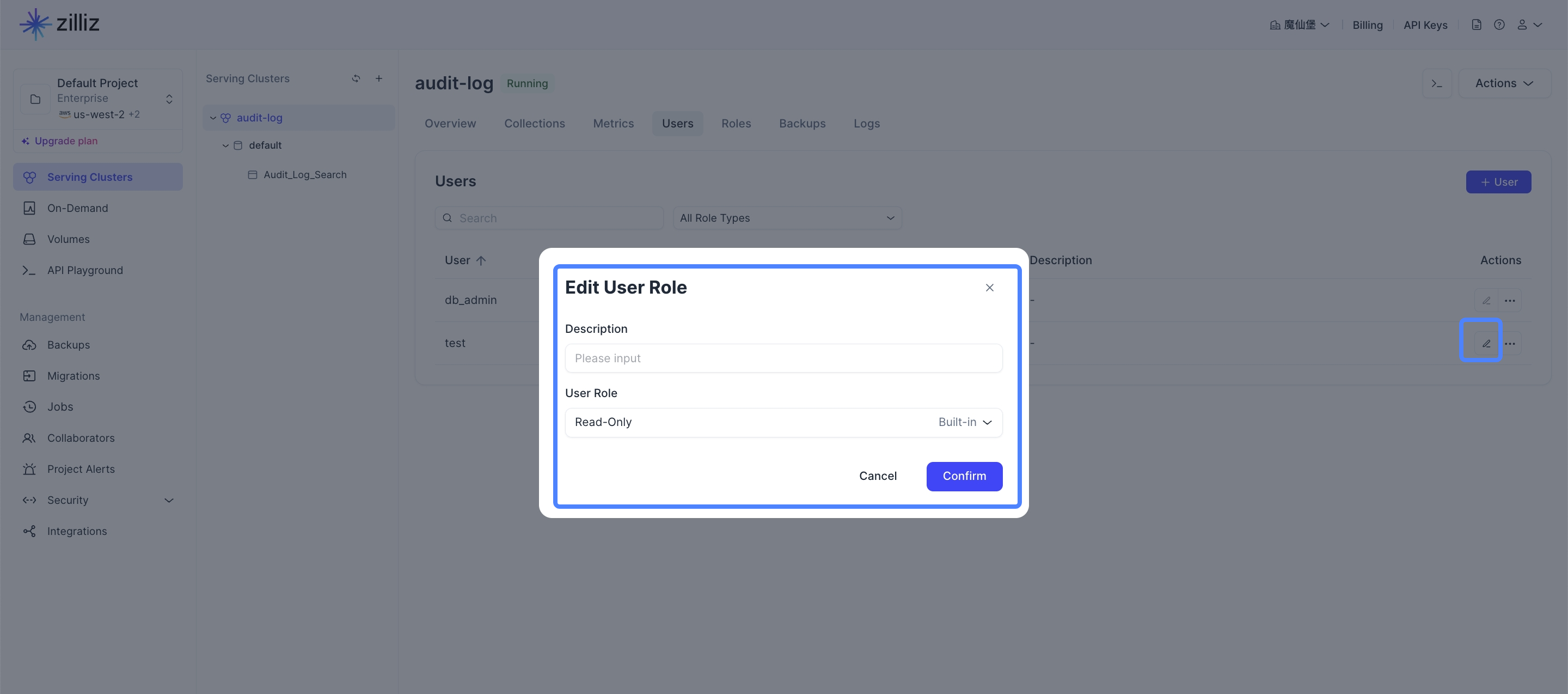
Navigate to your target cluster.
Switch to the Users tab.
Click on the Edit button next to your target user.
Edit the user settings.
-
(Optional) Enter the description of the user.
-
Grant this user either a built-in cluster role or a custom cluster role.
Click on Confirm.
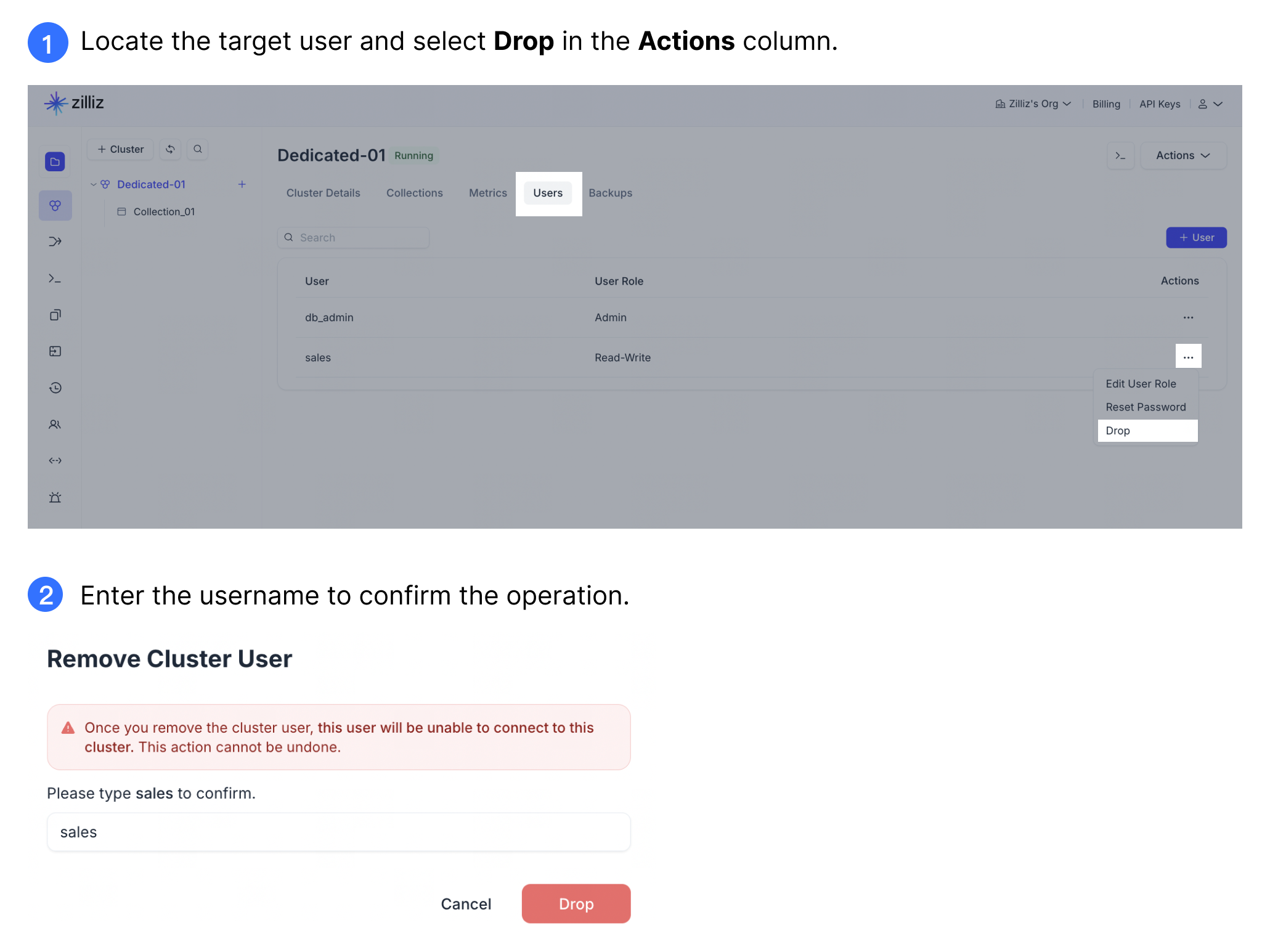
Drop a cluster user
The default user db_admin cannot be dropped.