Manage External Collections (Console)
Public PreviewThis page covers how to manage an external collection via the Zilliz Cloud web console.
Create an external collection
Before you start, ensure you have created an external volume.
Navigate to your target database. You can either select a database in Serving Clusters or in On-Demand Compute.
Click on ... and select Create Collection.
Configure your external collection.
Click on Create.
-
External collections created in an on-demand compute database do not support dropping indexes.
-
You can create an external collection only in an on-demand compute database. Support for creating external collections in serving Dedicated clusters is coming soon.
-
Creating an external collection from a collection on another dedicated cluster (the
milvus://source) is currently available through SDKs and the RESTful API only — the console does not support this source type.
Refresh data
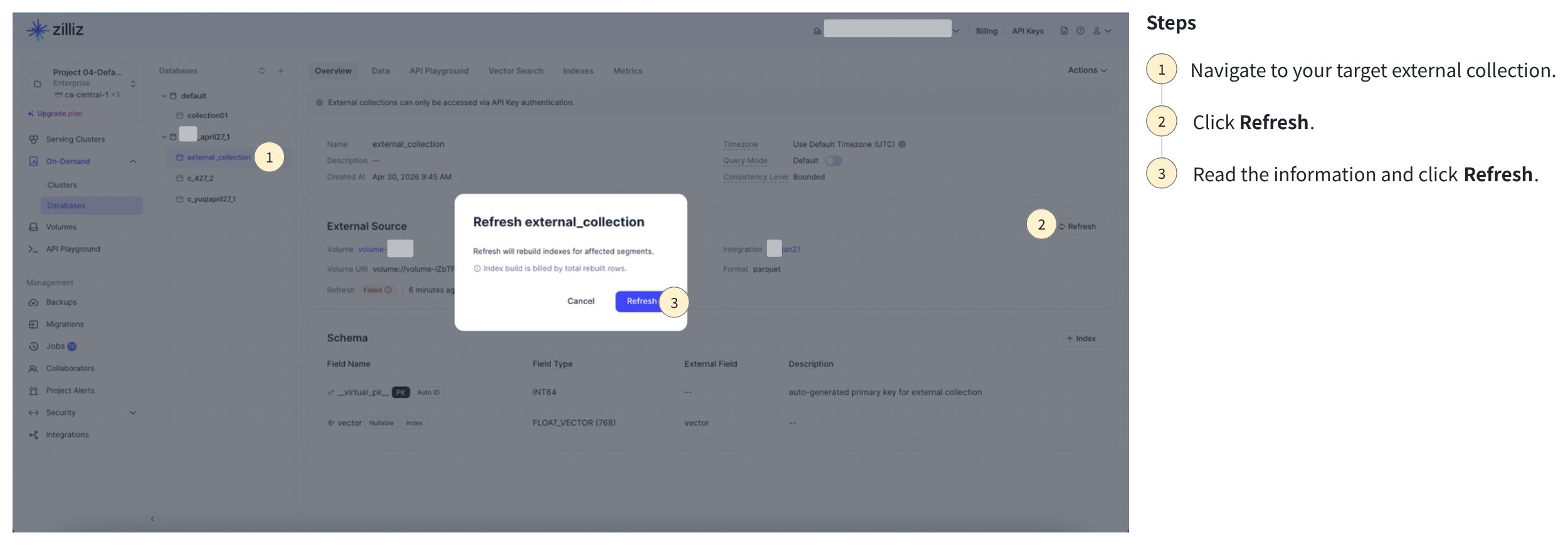
Navigate to your target external collection.
Click on Refresh.
Read the information and click on Refresh.
Enable query mode
Before you start, ensure you have deleted the vector index.
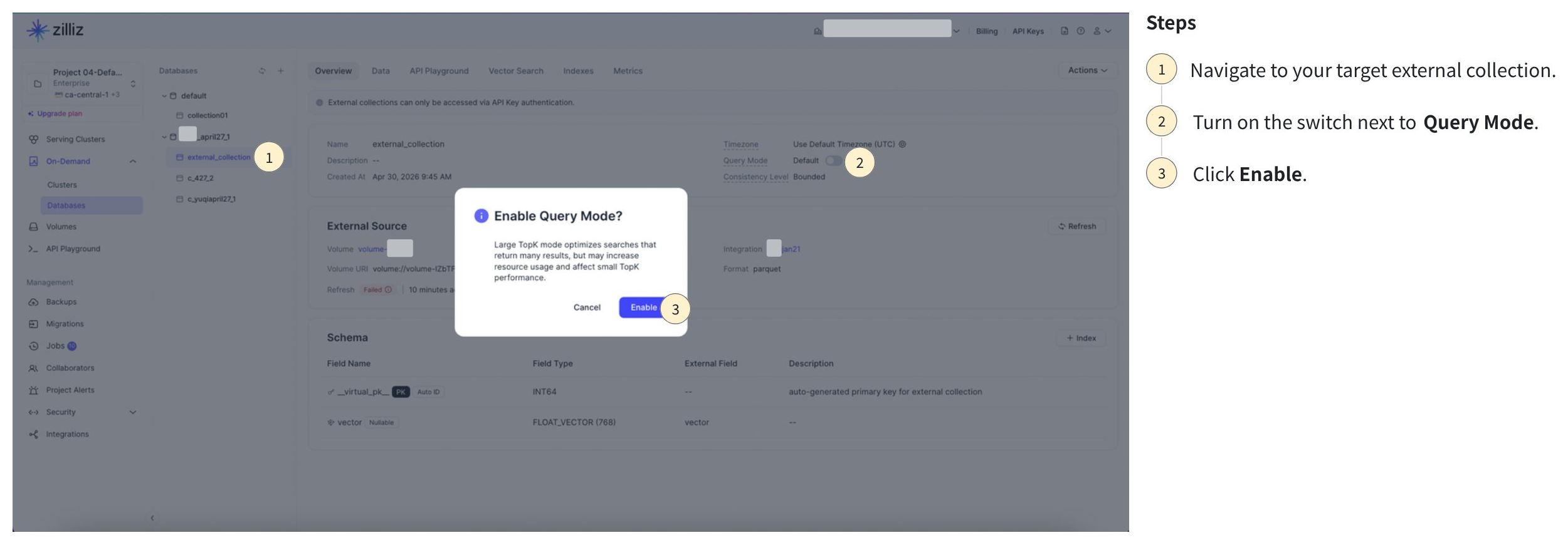
Navigate to your target external collection.
Turn on the switch next to Query Mode.
Click on Enable.
Drop an external collection
Dropping an external collection will only remove the schema, manifest, and indexes on Zilliz Cloud. Your data remains intact in your object storage.