Manage Invoices
This guide provides instructions on how to view, download, and track invoices for your Zilliz Cloud organization.
Depending on your payment method, invoices may be issued by Zilliz Cloud or by the cloud marketplace where you subscribed.
To manage invoices, you must be an Organization Owner or Organization Billing Admin.
List all invoices
- Cloud Console
- cURL
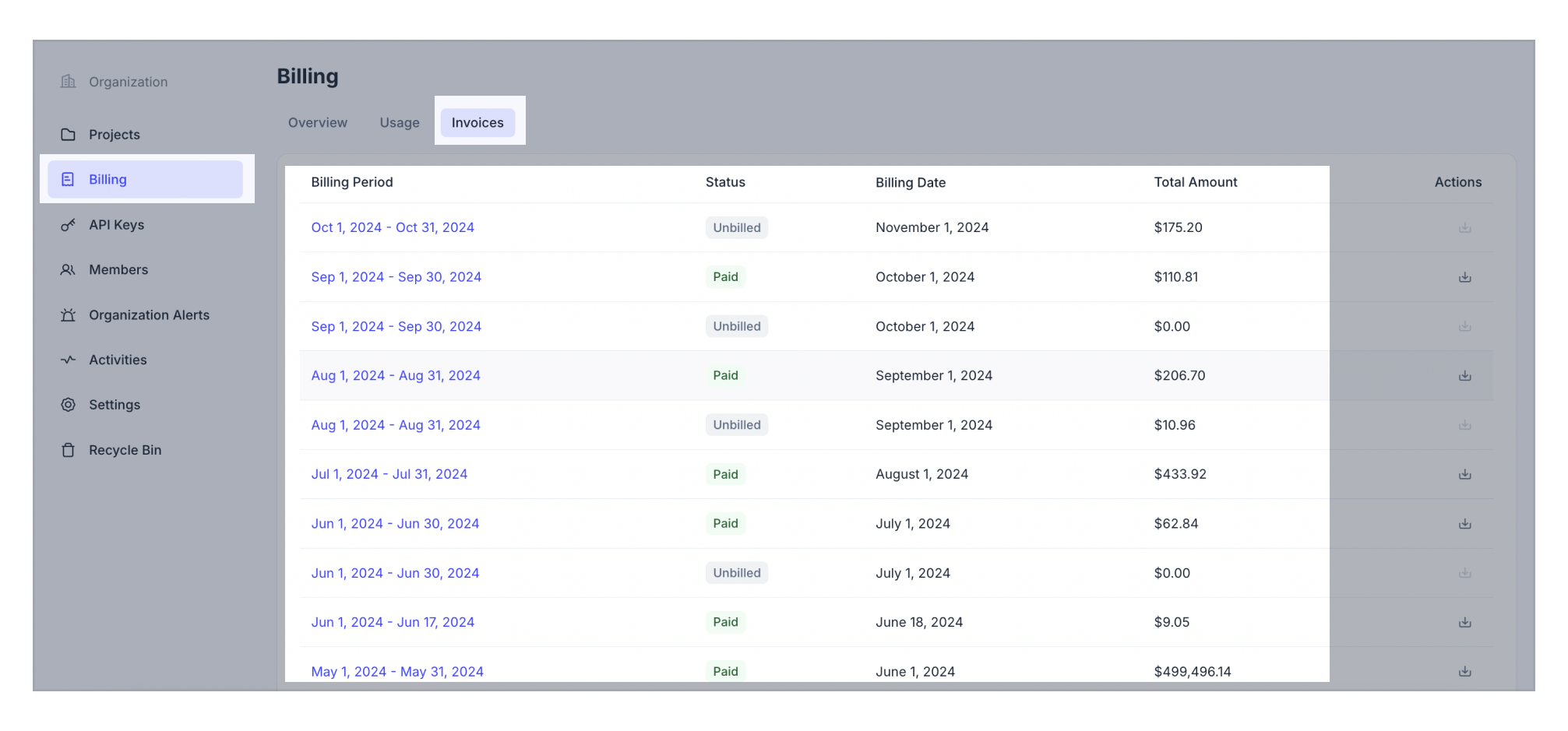
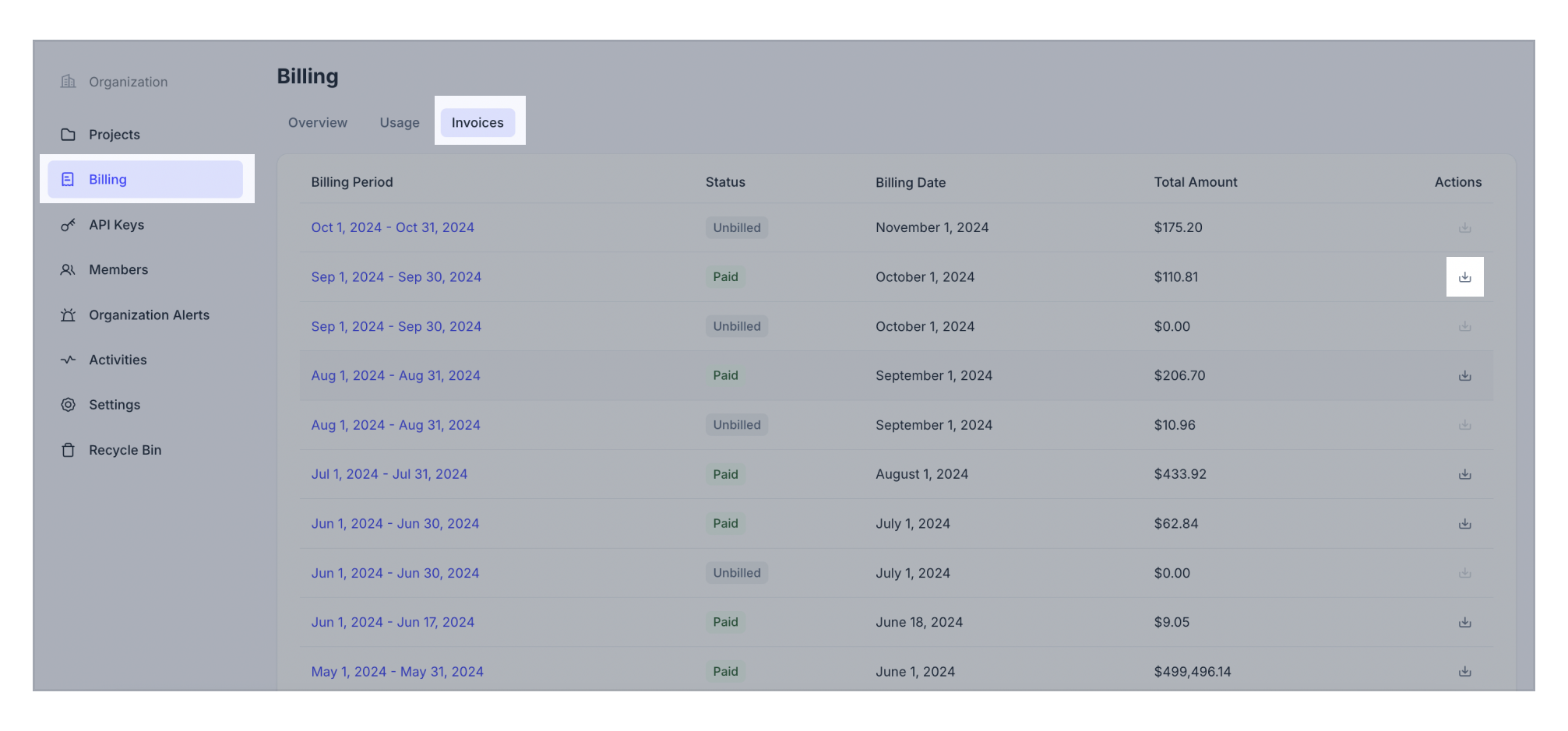
Click Billing on the left navigation.
Switch to the Invoices tab. You can see all current and past invoices.
Your request should resemble the following example, where {TOKEN} is your authentication API key with an Organization Owner or Billing Admin role. The following GET request lists all invoices for your organization.
curl --request GET \
--url "https://api.cloud.zilliz.com/v2/invoices" \
--header "Authorization: Bearer ${TOKEN}" \
--header "Content-Type: application/json"

# {
#     "code": 0,
#     "data": {
#         "count": 1,
#         "currentPage": 1,
#         "pageSize": 10,
#         "invoices": [
#             {
#                 "id": "inv-12312io23810o291",
#                 "orgId": "org-xxxxxx",
#                 "periodStart": "2024-01-01T00:00:00Z",
#                 "periodEnd": "2024-02-01T00:00:00Z",
#                 "invoiceDate": "2024-02-01T00:00:00Z",
#                 "dueDate": "2024-02-01T00:00:00Z",
#                 "currency": "USD",
#                 "status": "unpaid",
#                 "usageAmount": 52400,
#                 "creditsApplied": 12400,
#                 "alreadyBilledAmount": 0,
#                 "subtotal": 40000,
#                 "tax": 5000,
#                 "total": 45000,
#                 "advancePayAmount": 0,
#                 "amountDue": 45000
#             }
#         ]
#     }
# }
In the results returned by the API, all amounts are in cents.
View the details of a specific invoice
- Cloud Console
- cURL
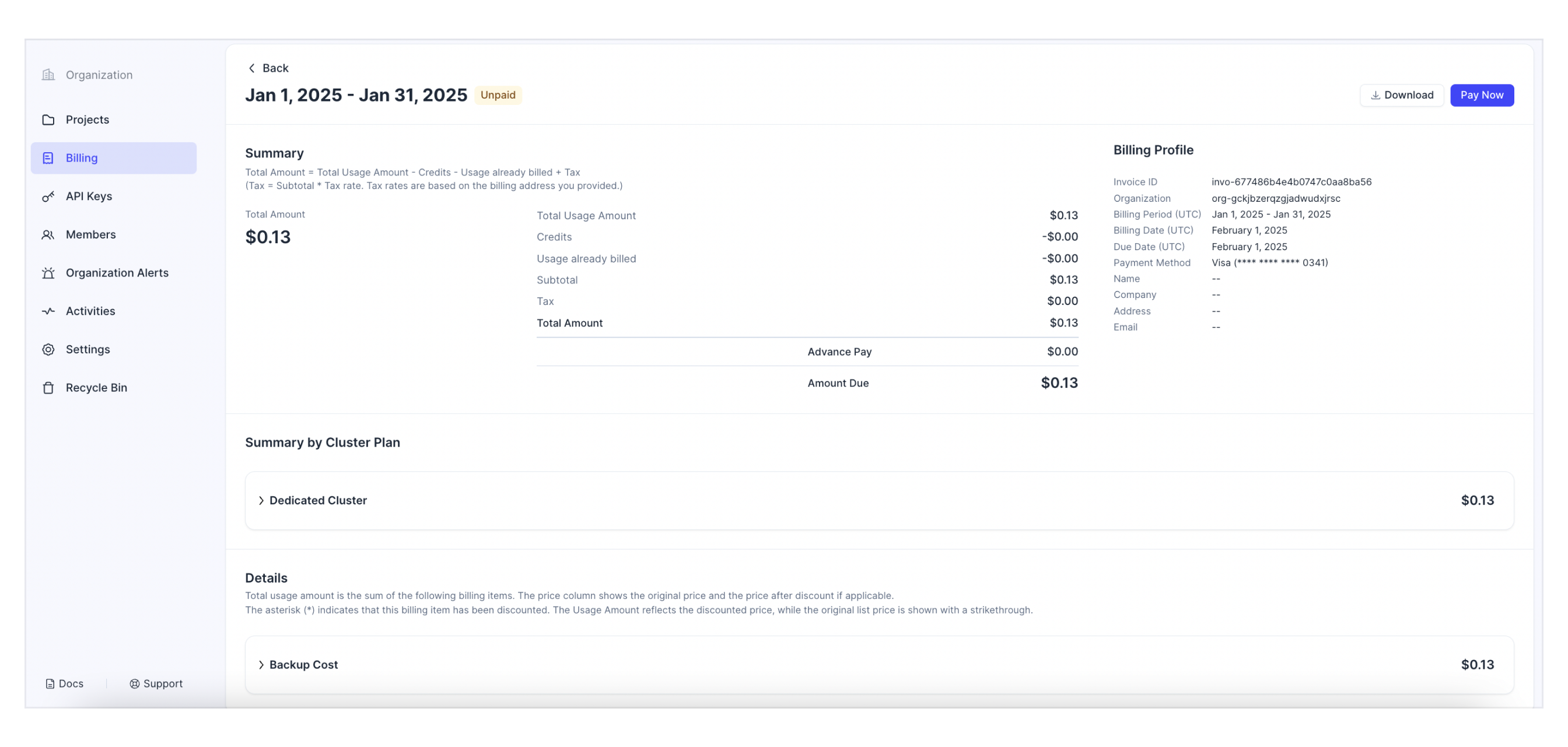
Click Billing on the left navigation.
Switch to the Invoices tab.
Click on the billing period of a target invoice to view its details.
Your request should resemble the following example, where {TOKEN} is your authentication API key with an Organization Owner or Billing Admin role. The following GET request describes the specified invoice.
curl --request GET \
--url "https://api.cloud.zilliz.com/v2/invoices/${INVOICE_ID}" \
--header "Authorization: Bearer ${TOKEN}" \
--header "Content-Type: application/json"

# {
#     "code": 0,
#     "data": {
#         "id": "inv-12312io23810o291",
#         "orgId": "org-xxxxxx",
#         "periodStart": "2024-01-01T00:00:00Z",
#         "periodEnd": "2024-02-01T00:00:00Z",
#         "invoiceDate": "2024-02-01T00:00:00Z",
#         "dueDate": "2024-02-01T00:00:00Z",
#         "currency": "USD",
#         "status": "unpaid",
#         "usageAmount": 52400,
#         "creditsApplied": 12400,
#         "alreadyBilledAmount": 0,
#         "subtotal": 40000,
#         "tax": 5000,
#         "total": 45000,
#         "advancePayAmount": 0,
#         "amountDue": 45000
#     }
# }
In the command above,
-
{API_KEY}: The credential used to authenticate API requests. Replace the value with your own. -
{INVOICE_ID}: The ID of the invoice to describe.
In the results returned by the API, all amounts are in cents.
Pay Invoice
When your invoice is overdue, you can first check and update your payment method and then retry the payment view the Zilliz Cloud web console.
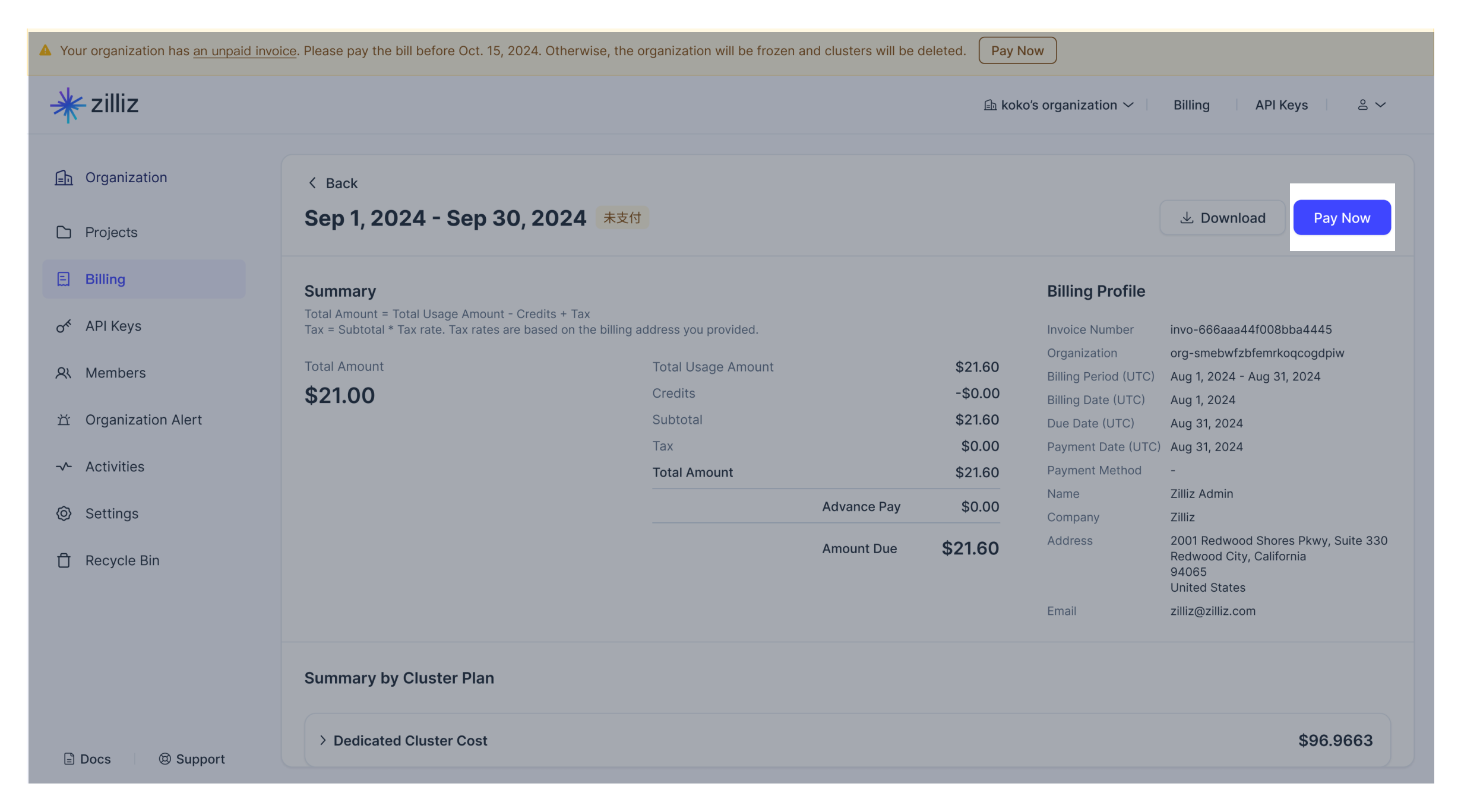
Download Invoice
To download an invoice, click the download icon next to the target invoice on the Zilliz Cloud web console.