Update Billing Profile
The billing profile contains the organization and contact information used for billing, invoices, and tax records. Keep your billing profile up to date so invoices are issued with the correct company, address, and contact details.
Note
To manage billing profile, you must be an Organization Owner or Organization Billing Admin.
Update billing profile
1
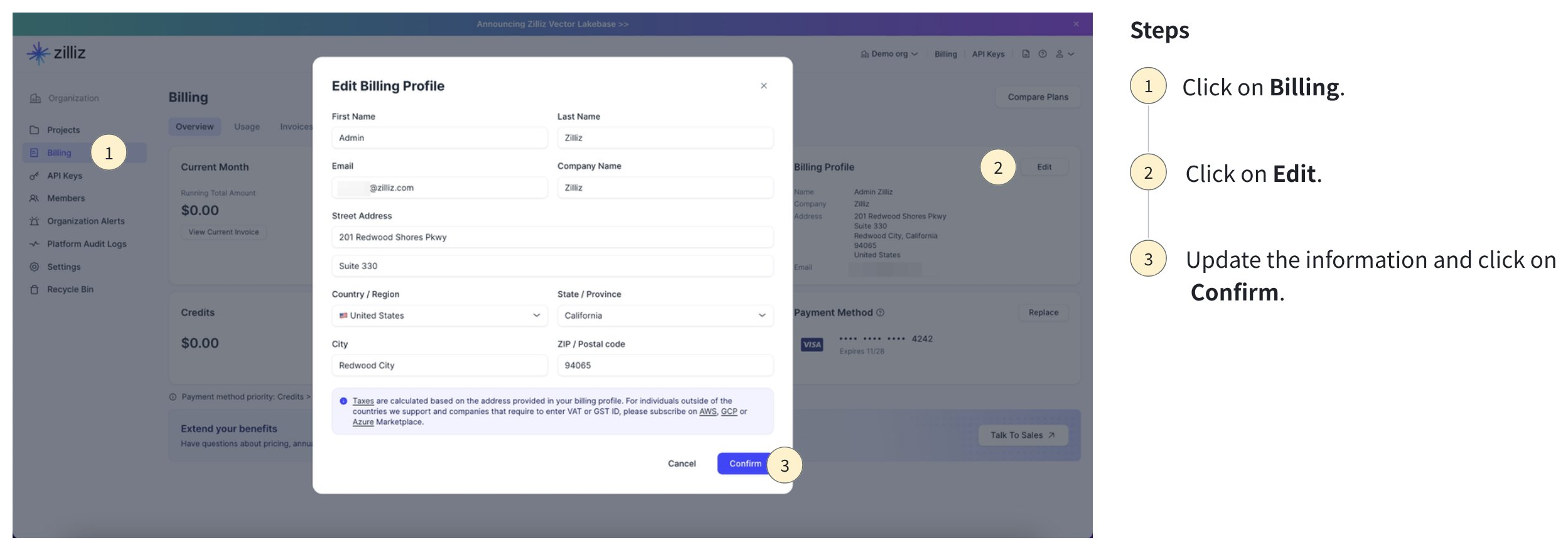
In the Zilliz Cloud console, go to Billing.
2
Click Edit in the Billing Profile section.
3
Update the required billing information. Click Confirm.
After you update the billing profile
After your billing profile is updated, future invoices use the new billing information.
Previously issued invoices will remain unchanged. If you need to update information on an existing invoice, contact Zilliz Finance team at finance@zilliz.com.