請求書の管理
このガイドでは、Zilliz Cloud 組織の請求書を表示、ダウンロード、および確認する方法について説明します。
お支払い方法に応じて、請求書は Zilliz Cloud またはサブスクリプション登録先のクラウドマーケットプレイスから発行される場合があります。
Note
請求書を管理するには、Organization Owner または Organization Billing Admin の権限が必要です。
すべての請求書を一覧表示する
- Cloud Console
- cURL
1
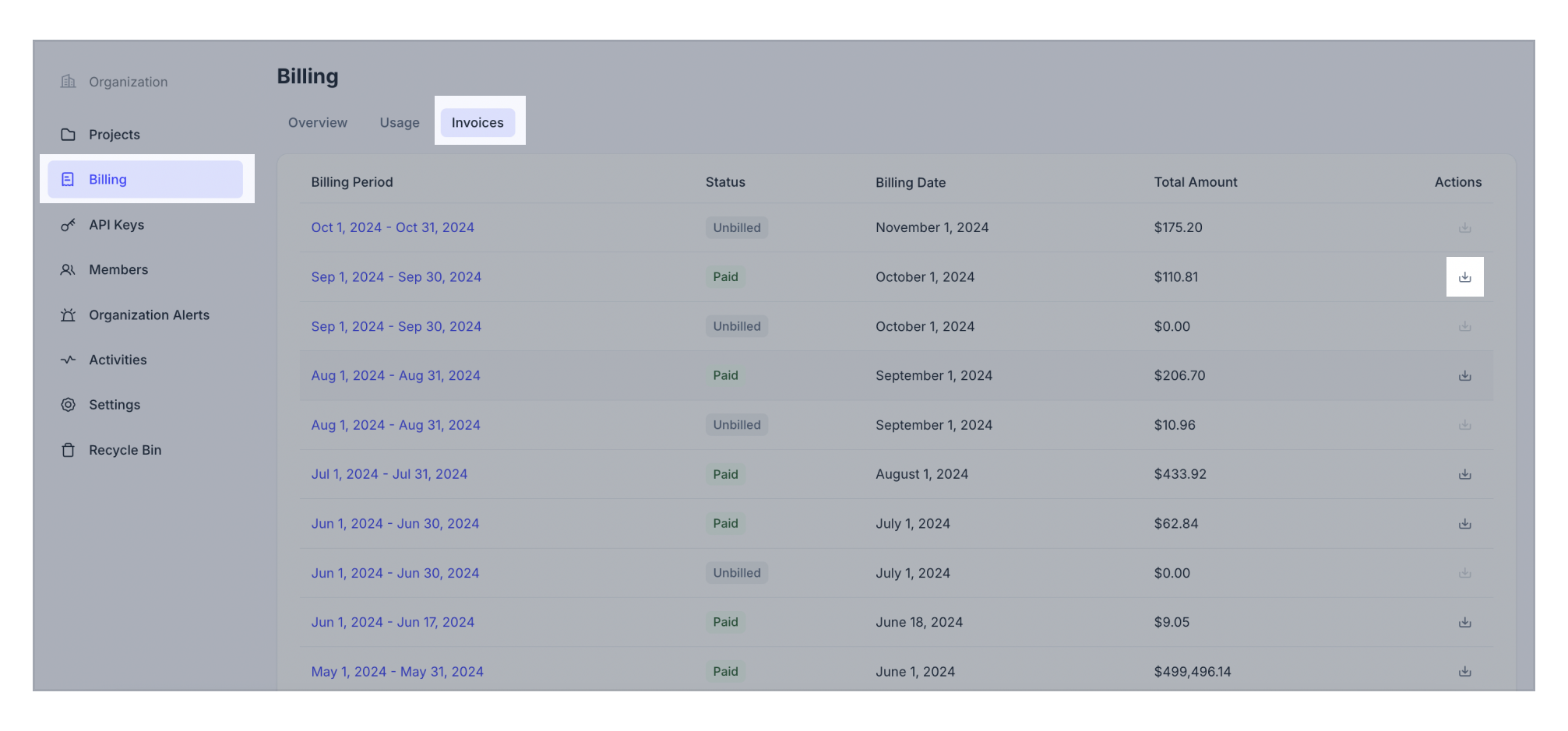
左側のナビゲーションで Billing をクリックします。
2
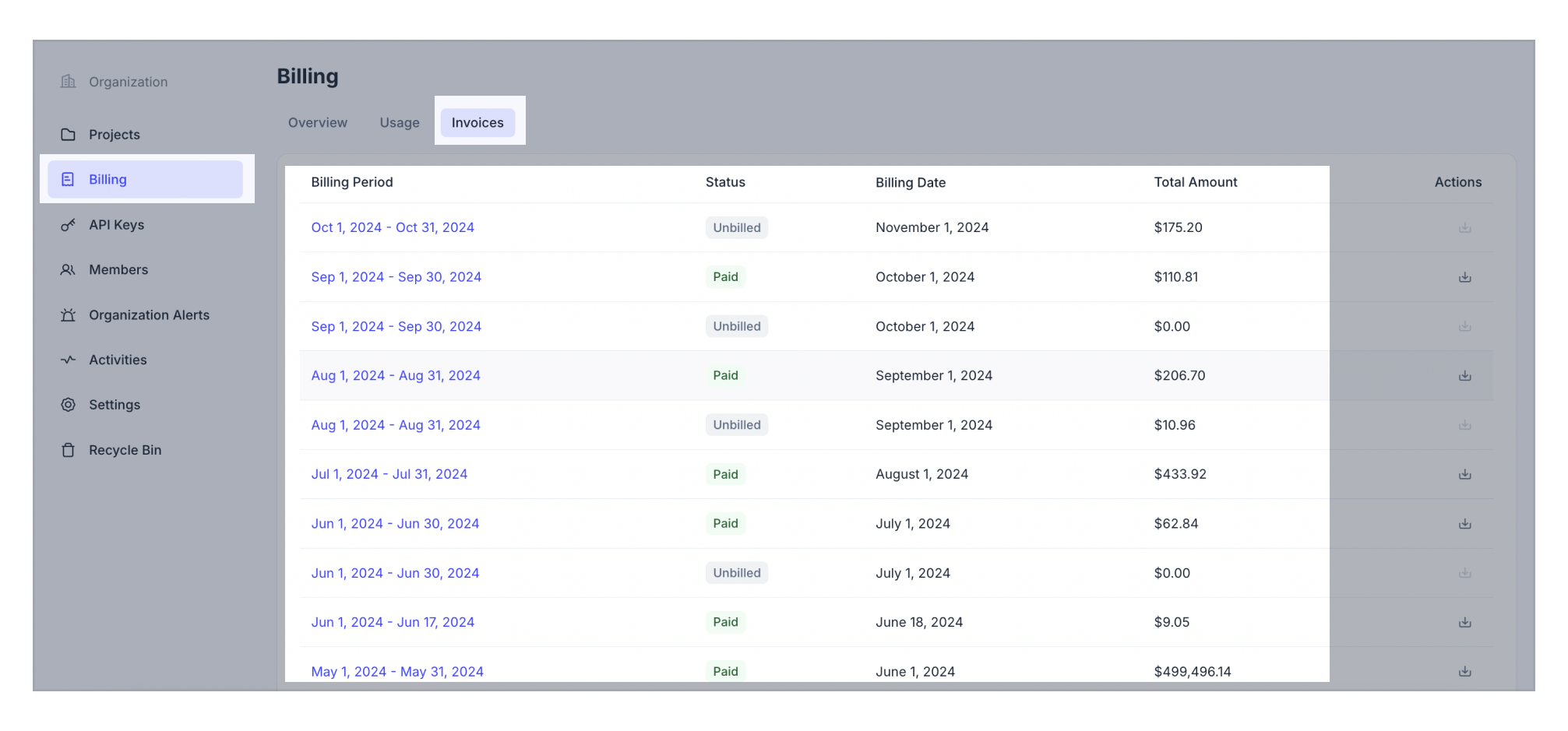
Invoices タブに切り替えます。現在および過去のすべての請求書を確認できます。
リクエストは次の例のようになります。ここで、{TOKEN} は Organization Owner または Billing Admin ロール を持つ認証用 API キーです。以下の GET リクエストは、組織のすべての請求書を一覧表示します。
bash
curl --request GET \
--url "https://api.cloud.zilliz.com/v2/invoices" \
--header "Authorization: Bearer ${TOKEN}" \
--header "Content-Type: application/json"

# {
#     "code": 0,
#     "data": {
#         "count": 1,
#         "currentPage": 1,
#         "pageSize": 10,
#         "invoices": [
#             {
#                 "id": "inv-12312io23810o291",
#                 "orgId": "org-xxxxxx",
#                 "periodStart": "2024-01-01T00:00:00Z",
#                 "periodEnd": "2024-02-01T00:00:00Z",
#                 "invoiceDate": "2024-02-01T00:00:00Z",
#                 "dueDate": "2024-02-01T00:00:00Z",
#                 "currency": "USD",
#                 "status": "unpaid",
#                 "usageAmount": 52400,
#                 "creditsApplied": 12400,
#                 "alreadyBilledAmount": 0,
#                 "subtotal": 40000,
#                 "tax": 5000,
#                 "total": 45000,
#                 "advancePayAmount": 0,
#                 "amountDue": 45000
#             }
#         ]
#     }
# }
Notes
API から返される結果では、金額はすべてセント単位です。
特定の請求書の詳細を表示する
- Cloud Console
- cURL
1
左側のナビゲーションで Billing をクリックします。
2
Invoices タブに切り替えます。
3
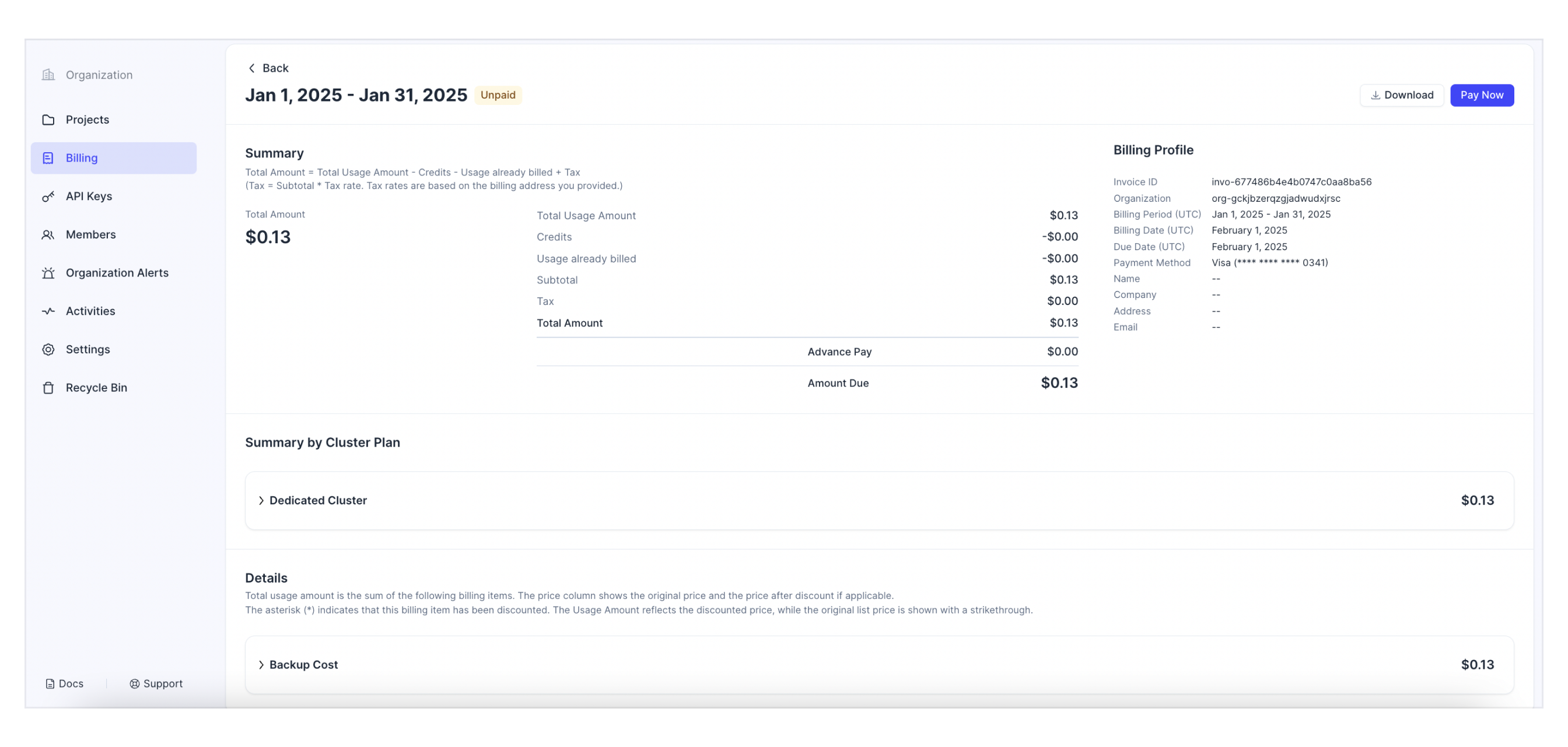
対象の請求書の請求期間をクリックすると、詳細が表示されます。
リクエストは次の例のようになります。ここで、{TOKEN} は Organization Owner または Billing Admin ロール を持つ認証用 API キーです。以下の GET リクエストは、指定した請求書の詳細を取得します。
bash
curl --request GET \
--url "https://api.cloud.zilliz.com/v2/invoices/${INVOICE_ID}" \
--header "Authorization: Bearer ${TOKEN}" \
--header "Content-Type: application/json"

# {
#     "code": 0,
#     "data": {
#         "id": "inv-12312io23810o291",
#         "orgId": "org-xxxxxx",
#         "periodStart": "2024-01-01T00:00:00Z",
#         "periodEnd": "2024-02-01T00:00:00Z",
#         "invoiceDate": "2024-02-01T00:00:00Z",
#         "dueDate": "2024-02-01T00:00:00Z",
#         "currency": "USD",
#         "status": "unpaid",
#         "usageAmount": 52400,
#         "creditsApplied": 12400,
#         "alreadyBilledAmount": 0,
#         "subtotal": 40000,
#         "tax": 5000,
#         "total": 45000,
#         "advancePayAmount": 0,
#         "amountDue": 45000
#     }
# }
上記のコマンドにおける各項目は以下の通りです。
-
{API_KEY}: API リクエストの認証に使用する資格情報です。ご自身の値に置き換えてください。 -
{INVOICE_ID}: 詳細を取得する請求書の ID です。
Notes
API から返される結果では、金額はすべてセント単位です。
請求書の支払い
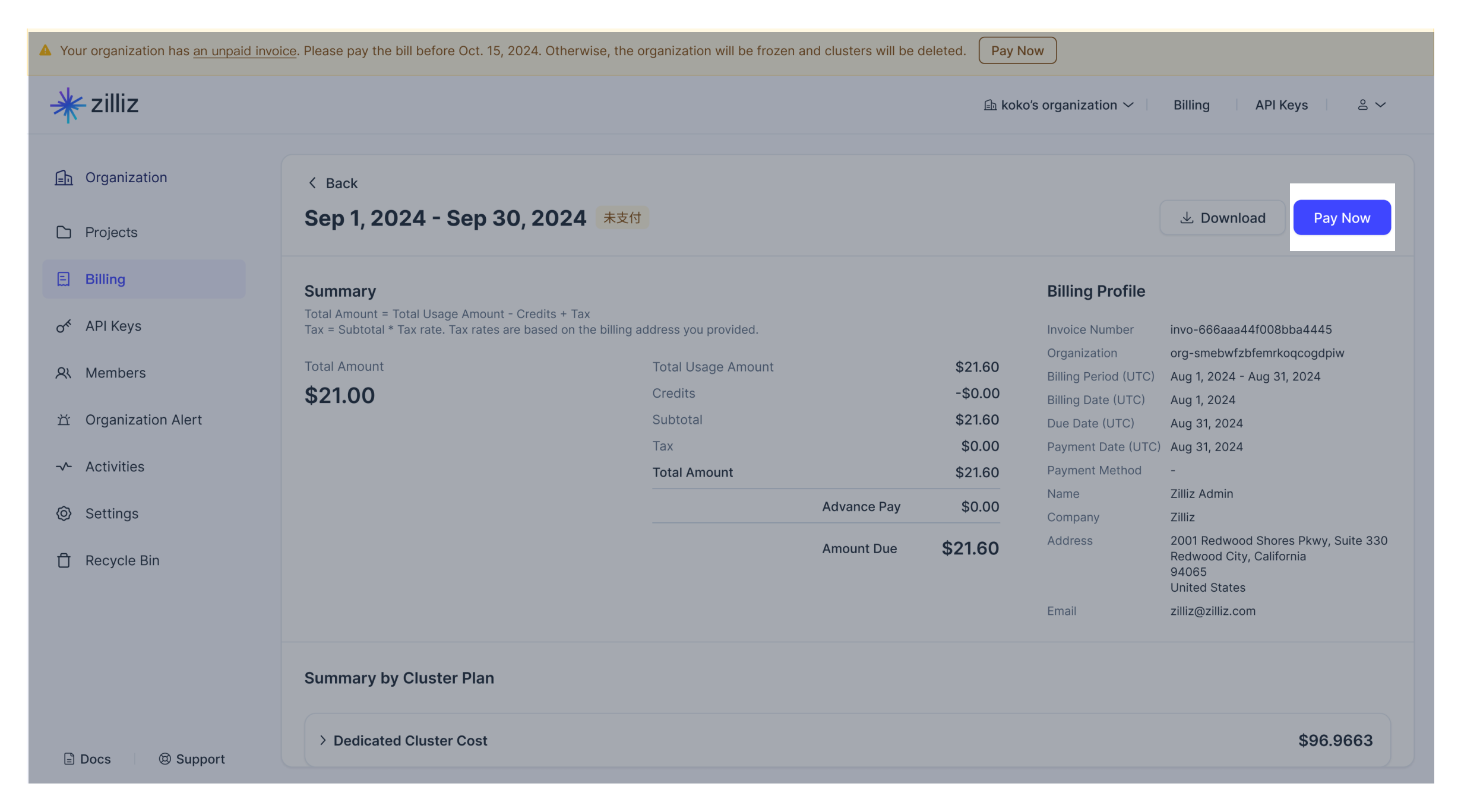
請求書の支払期限を過ぎた場合は、まずお支払い方法を確認・更新してから、Zilliz Cloud Web コンソールで支払いを再試行できます。
請求書のダウンロード
請求書をダウンロードするには、Zilliz Cloud Web コンソールで対象の請求書の横にあるダウンロードアイコンをクリックします。